
Rental with driver
Udriver
powered by

Udriver is an advanced web management system dedicated to the world of chauffeur-driven car rental.
Find out more
Main features
Multilingual Front Office
Public site for purchasing services, customizable and suitable for both private individuals and professionals.
Personalized Online Booking
Booking system that can be integrated into your website, with a modern and intuitive interface.
Transfer Management
Map view, custom rates and additional transfer options.
Excursion Management
Complete Back Office
Driver Dashboard
Supplier Panel
Accesso riservato per i fornitori con visualizzazione e accettazione dei servizi.
Customer Panel
Udriver Rental – Front Office

This section includes the features accessible to customers, with the online booking system as the main element. The booking interface is completely customizable for each customer. You access a modern home page that allows you to:
- Log in to access the system and reserved rates.
- Perform a search to check the availability of price lists reserved for private users.
- Also B2B customers after logging in, they can access the price lists reserved for them
On the home page there is a panel for:
- Searching for a transfer: specifying the place of departure or arrival (streets, cities, hotels or workplaces).
- Searching for an excursion: specifying the place of departure.
This panel can be integrated into the institutional site, adapting to the existing graphics.

Transfer Management
- Show route on map with distance and duration details.
- Offer different types of vehicles available with updated rates.
- Enter details such as date, pickup time, contact information and additional notes.
- Manage references to means of arrival such as planes or trains.
- Apply special price lists via coupons for professional users.

Excursion Management
- List of available excursions departing from the selected location.
- Photo galleries and detailed descriptions.
- “Starting from” prices to make your choice easier.
- Available vehicle options with associated rates.
- Possibility to add supplements and optional extras.
- Advanced features for professional users, such as special price lists and customized vouchers.
Udriver – Back Office
Personal Data Management
The master data are entered only once and can be used for various roles such as Supplier, Customer or Billing Center. This avoids misalignments and allows centralized management of data, contacts, payments and price lists, with customized roles for users.
Flexible and Customizable Price List Management
NCC offers advanced features for creating and modifying price lists, simplifying data entry work. Price lists can be configured with codes, descriptions and validity periods, and rates can be easily managed through tables that can be filtered by products or vehicles. Each price list can be assigned to customers or suppliers, with prices that can always be updated by operators.
Complete Reservation Management
Complete Management of Data, Services and Billing
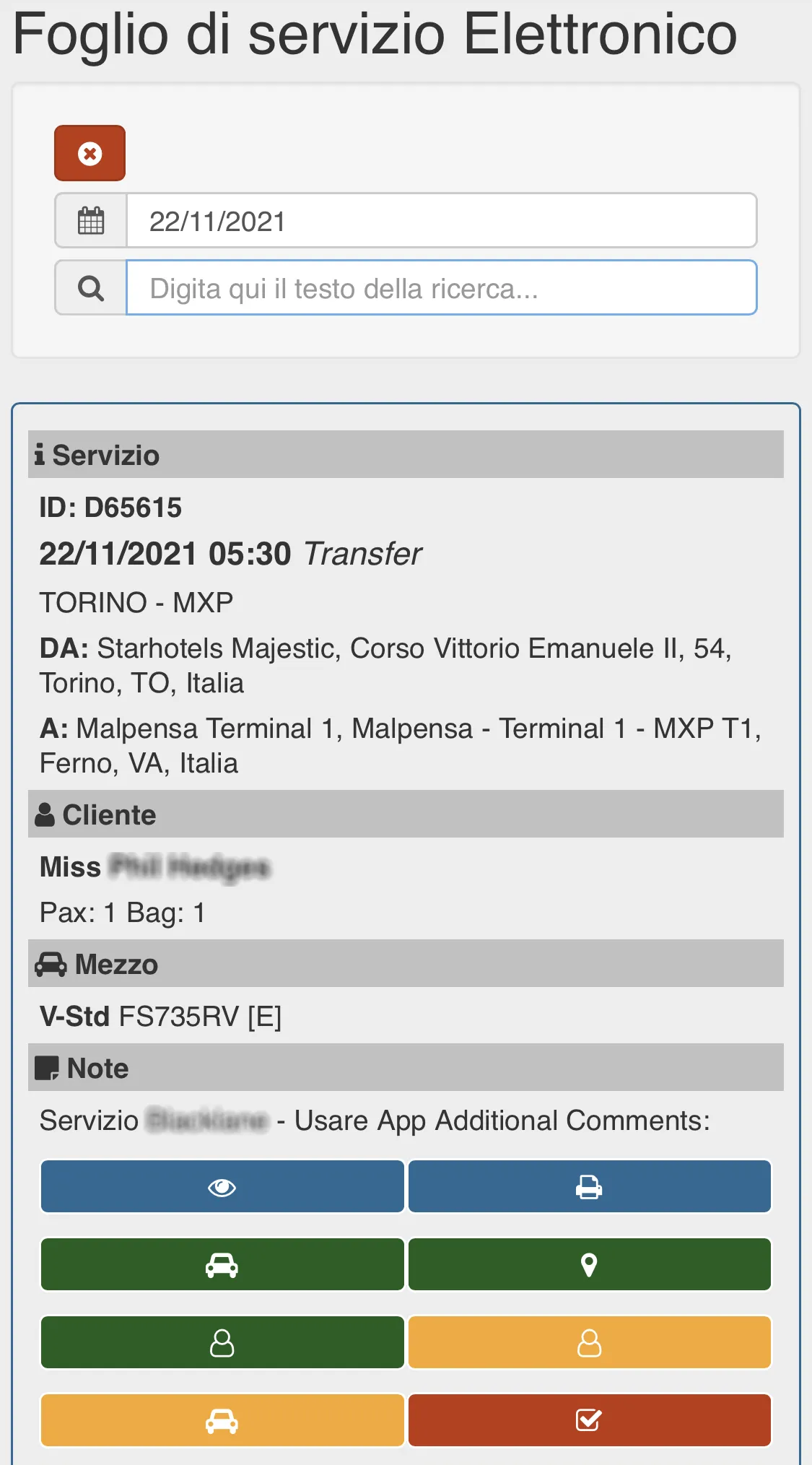
Driver Dashboard
NCC is equipped with a specific dashboard for drivers that represents the electronic service sheet. The dashboard, which can be consulted by day, contains the list of all the services to be done during the day, represented through all the information that the driver needs: Day, time, type of service, From, To, Customer, Vehicle to be used and the notes entered by the office. Through his dashboard the driver will be able to communicate to the office that he has viewed the assignment, that he has picked up the vehicle, that he is in position for the pickup, that he has carried out the pickup, that he has dropped off the passenger, that he has dropped off the vehicle, that the service is closed. The dashboard is also available in a mobile version.
Supplier Panel
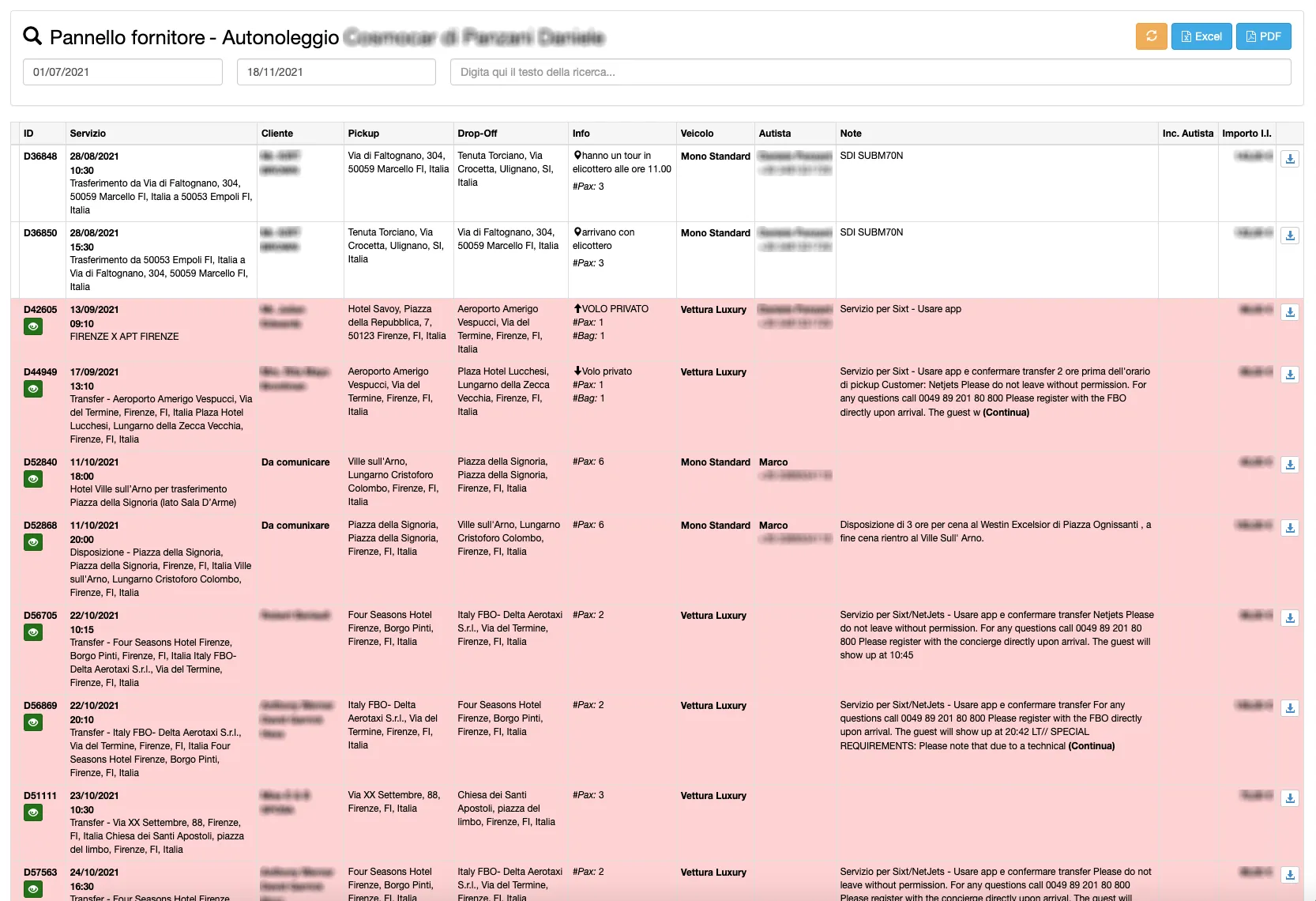
Udriver provides the ability to grant your suppliers reserved access to a dedicated dashboard.
Through this panel the supplier can filter from event date to event date or by any text contained in the service and view the list of all services performed or still to be performed through all possible information:
- Day
- Hour
- Service type
- Service
- Final customer
- Pickup location
- Drop off location
- Additional information
- Vehicle type required
- Driver
- Notes
Customer Panel
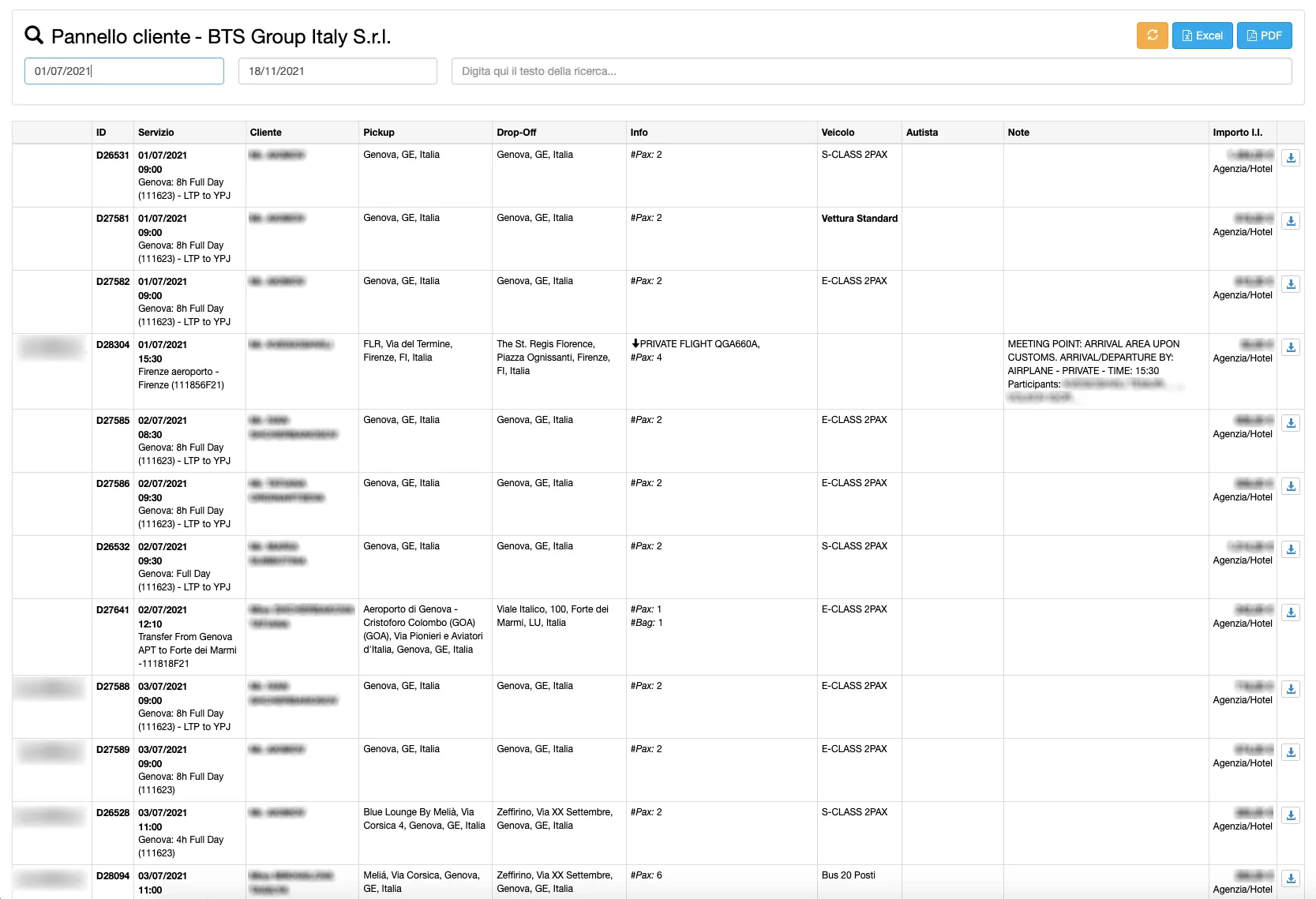
NCC provides the ability to grant its customers reserved access to a dedicated dashboard.
Through this panel the customer can filter from event date to event date or by any text contained in the service and view the list of all services obtained or still to be performed through all possible information:
- Day
- Hour
- Service type
- Service
- Final customer
- Pickup location
- Drop off location
- Additional information
- Vehicle type required
- Driver
- Notes